Quick Start Guide
Get up and running in minutes
Aperture is a powerful web-to-native deployment platform that enables seamless distribution of web applications to iOS and Android devices. This guide will help you quickly set up and start using Aperture in just a few minutes.
Installation Requirements
- A web application ready for deployment
1. Account Creation
Before you begin, you’ll need to create an Aperture account if you don’t already have one.
- Sign up for an Aperture account at aperture.triptech.dev
- Verify your email by clicking the link sent to your inbox
- Create an organization or accept an invitation to join an existing one
2. Create a Web Application
After logging in, follow these steps to create a web application:
-
Navigate to your organization
-
Click “Web Applications” in the sidebar
-
Click “New Web Application”
Fill in the required information:
- Name: Your application name
- Repository URL: Where your code is hosted
- Build command: Command to build your app (e.g.,
npm run build) - Output directory: Where build artifacts are located (e.g.,
distorbuild)
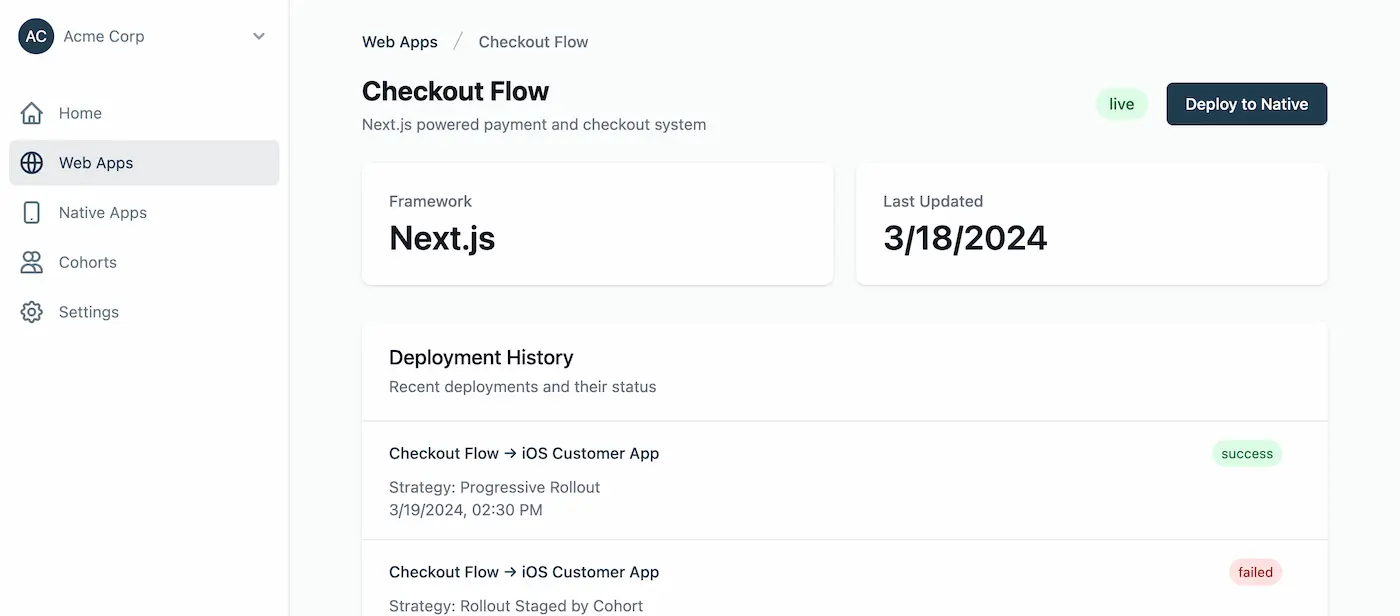
3. Configure a Native Application
Next, set up a native application to receive your web app deployments:
-
Navigate to “Native Applications”
-
Click “New Native Application”
Fill in the required information:
- Name: Your native app name
- Platform: iOS, Android, or both
- Bundle ID/Package Name: Your app’s identifier
4. Deploy Your Web App to Native
With both web and native applications configured, you can create your first deployment:
-
Navigate to your web application
-
Click “New Deployment”
Select the following options:
- Build: The build you want to deploy
- Native Application: The target native app
- Deployment Strategy: How you want to roll out (progressive rollout recommended)
5. Monitor Your Deployment
Track the progress of your deployment in real-time through:
- Deployment Timeline - View the status and history of all deployment phases
- User Adoption - See how many users have received and applied the update
- Error Tracking - Identify and troubleshoot any issues with your deployment
Next Steps
- Dashboard - Learn how to use the Aperture dashboard effectively
- Projects - Understand how to manage projects and deployments
Getting Help
- Support: Email support@triptech.dev